Create an AI portrait of your pet, with or without people. Choose a scene, add clear photos, then review your preview before buying a download.
All matching templates (123)
The studio fourSelected
Style previews are examples. Your portrait keeps your own people and pets.
How to create an AI pet portrait
PetPicto creates AI portraits from photos of your pet, with or without people. Choose a scene, upload clear reference photos, review the preview, and choose whether to buy a download.
Choose a scene that matches the number of people and pets in your photos.
Add clear photos of the same subjects and confirm you have permission to use them. Review the detected subjects before generating.
Compare three free watermarked previews. Choose one portrait or all three if you want watermark-free downloads.
Before you upload
Which photo files can I use?
Use JPG, PNG or WebP, up to 5 MB per file. This creator accepts up to 15 reference photos with a combined limit of 40 MB. Use clear, well-lit photos with visible faces and pet markings.
Can I make a pet-only portrait?
Yes. Select a pet-only scene for a portrait without people. Other scenes specify their own number of people and pets; choose one that matches your reference photos.
Will the result look exactly like my photos?
AI can change facial details, fur patterns and proportions. Scene examples are illustrations of the style, not a guarantee of the same result. Check the preview before purchasing.
When do I pay?
Preview three portraits for free. A watermark-free download costs $19 for one portrait or $33 for all three (USD). You pay once, after choosing your favorites.
Are uploaded photos added to the public gallery?
Uploaded photos and generated portraits are not automatically published in the public example gallery. Photos are processed by our storage, safety and AI providers to fulfill your request. See the Privacy policy for processing and deletion details.
Guide by PetPicto. Reviewed
Cookie Settings
We use cookies to improve your experience, analyze site usage and support our marketing. You can accept or reject non-essential cookies; essential cookies needed for sign-in always stay on.
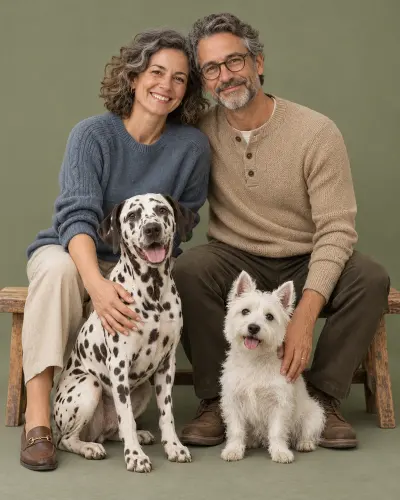 The studio fourSelected